
This demo assumes you've already logged in to cPanel, and are starting on the home screen. Click the "Subdomains" icon.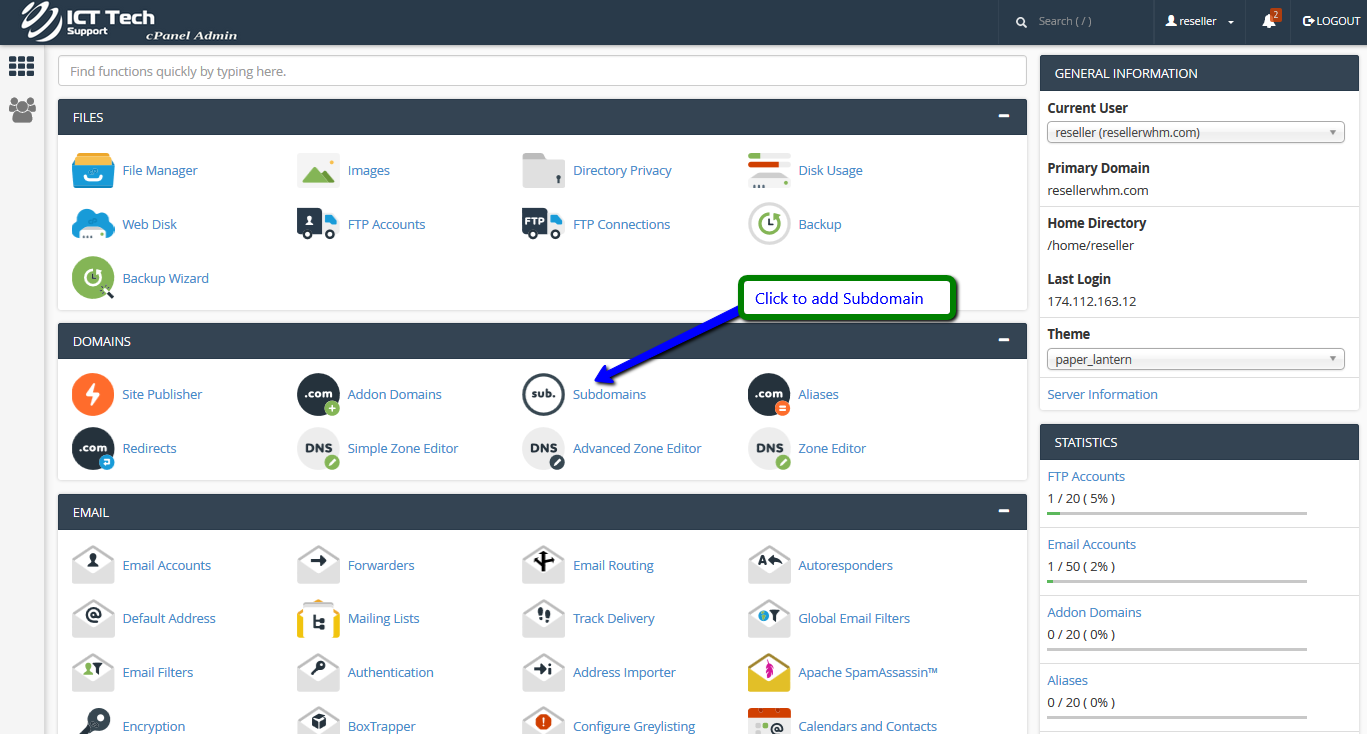
Enter the prefix of your new subdomain. Make sure the domain name your subdomain will be associated with is selected. A directory name the same as your subdomain prefix will automatically appear... although you can change this if you want. Click the "Create" button.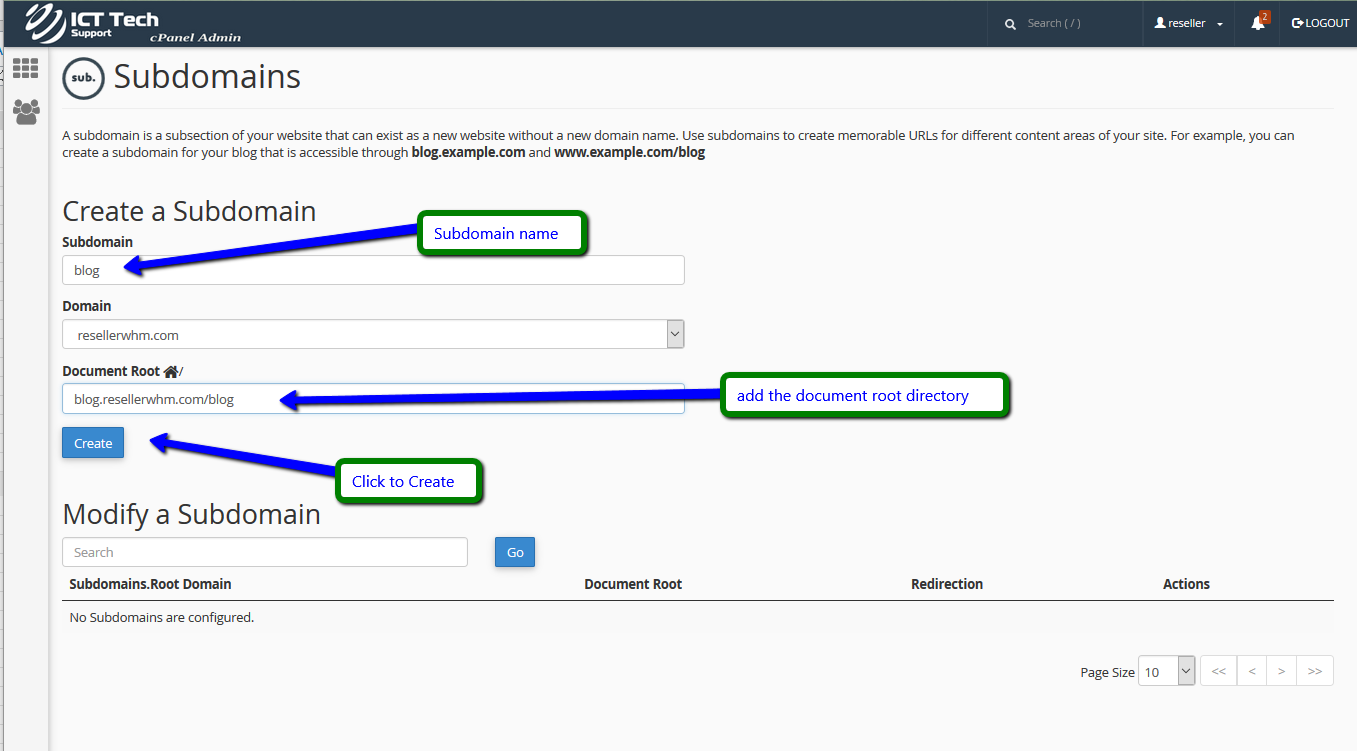
When finished you will see your new Subdomain and you will also make modifications.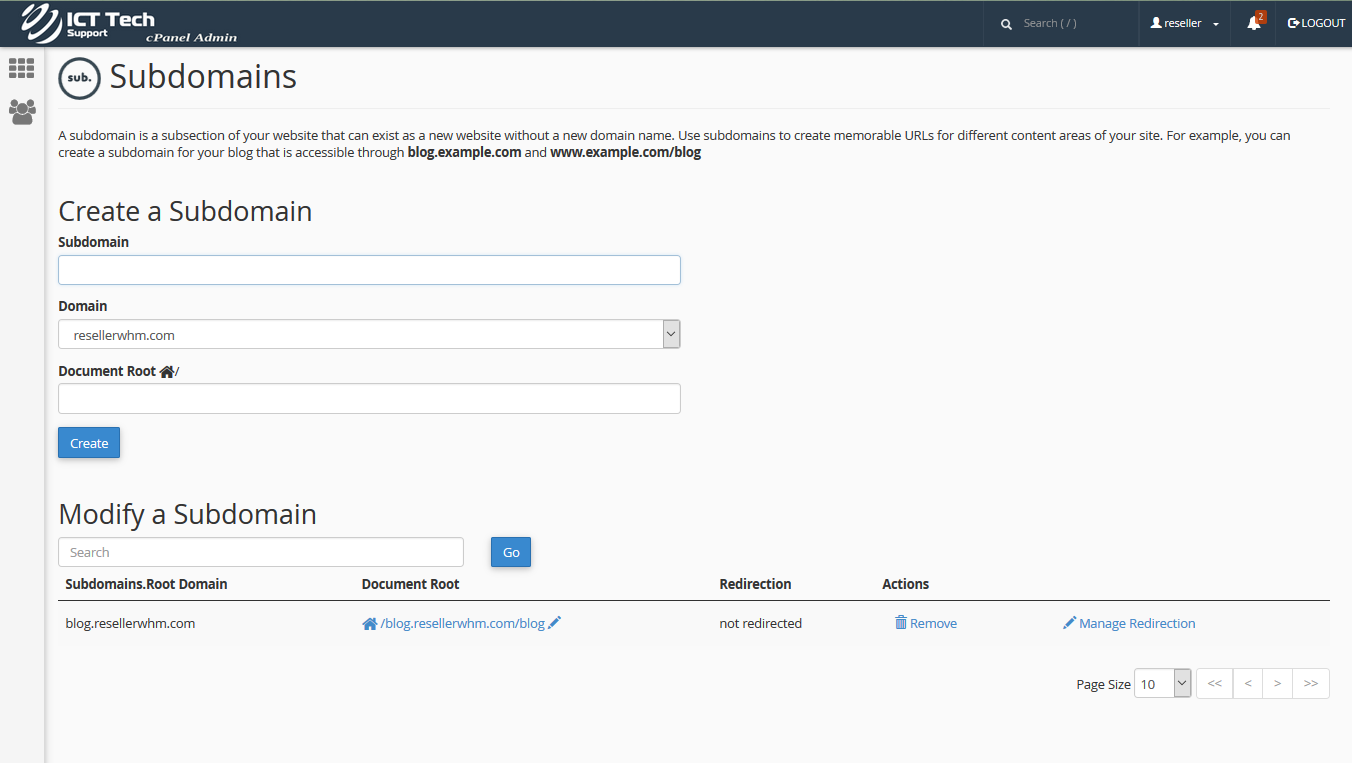
How to Create a Subdomain Print
- 55
Was this answer helpful?
Related Articles
How to Enable or Disable Greylisting
This demo assumes you've already logged in to cPanel, and are starting on the home screen.Then...
How to Create Additional FTP Accounts
This demo assumes you've already logged in to cPanel, and are starting on the home screen. Click...
How to Password Protect a Directory
This demo assumes you've already logged in to cPanel, and are starting on the home screen. Click...
How to Check Disk Space Usage
This demo assumes you've already logged in to cPanel, and are starting on the home screen. Now...
How to Create an Addon Domain
This demo assumes you've already logged in to cPanel, and are starting on the home screen. Click...